
How Devsy Deploys Workspaces
devsy workspace up builds the devcontainer if needed and uses the provider to start it.
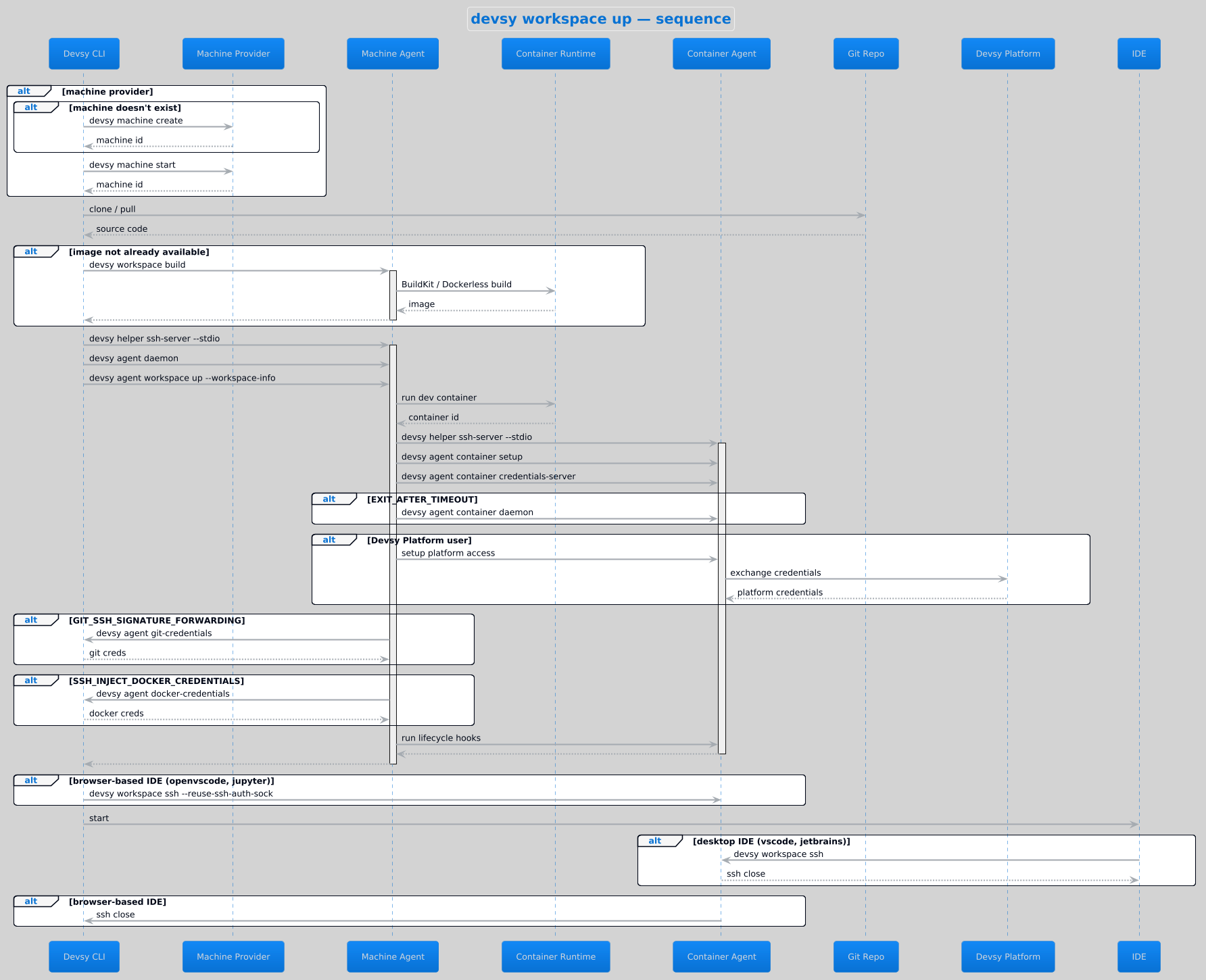
- If the provider uses a machine, Devsy creates or starts it.
- Devsy pulls the source and the
devcontainer.jsonfrom Git or a local folder. - The agent builds the workspace image (see Building).
- The agent starts the devcontainer through the driver, for example the Docker daemon or the Kubernetes API.
- Devsy starts a daemon that stops the machine or container when it is idle, sets up credentials, and opens your IDE.
With devsy workspace up --from-snapshot <ref>, Devsy restores a snapshot and skips the build.
Machines
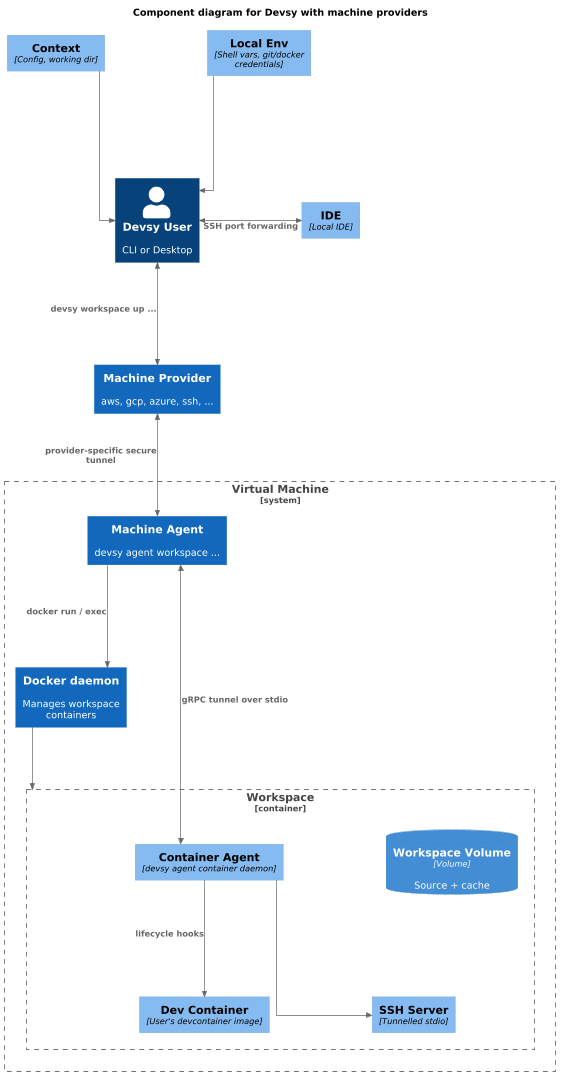
Machine providers, such as AWS, GCP, and DigitalOcean, create a VM to host the container. Devsy uses the CLI tool and credentials on your computer, such as aws or az, to create it, then connects through the cloud's own tunnel:
- AWS: Instance Connect
- Google Cloud: Cloud IAP
- Azure: Azure Bastion
You can use SSH tunneling instead, if your setup supports it.
The agent runs an SSH server over the tunnel, so the client can forward ports and connect your IDE.
Kubernetes
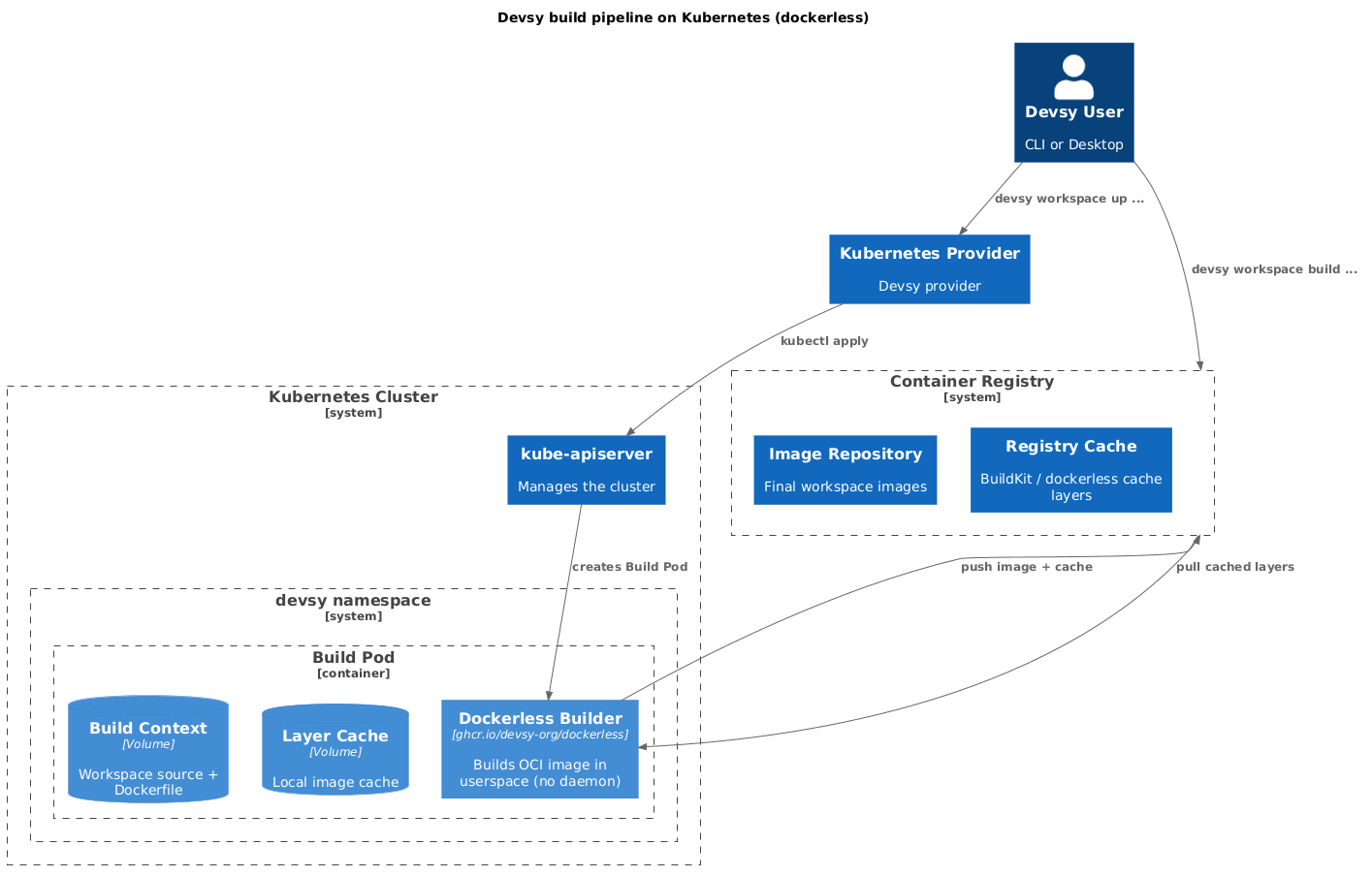
Kubernetes works the same way, but the tunnel is the Kubernetes API (pod exec and attach), so nothing extra runs on the node.
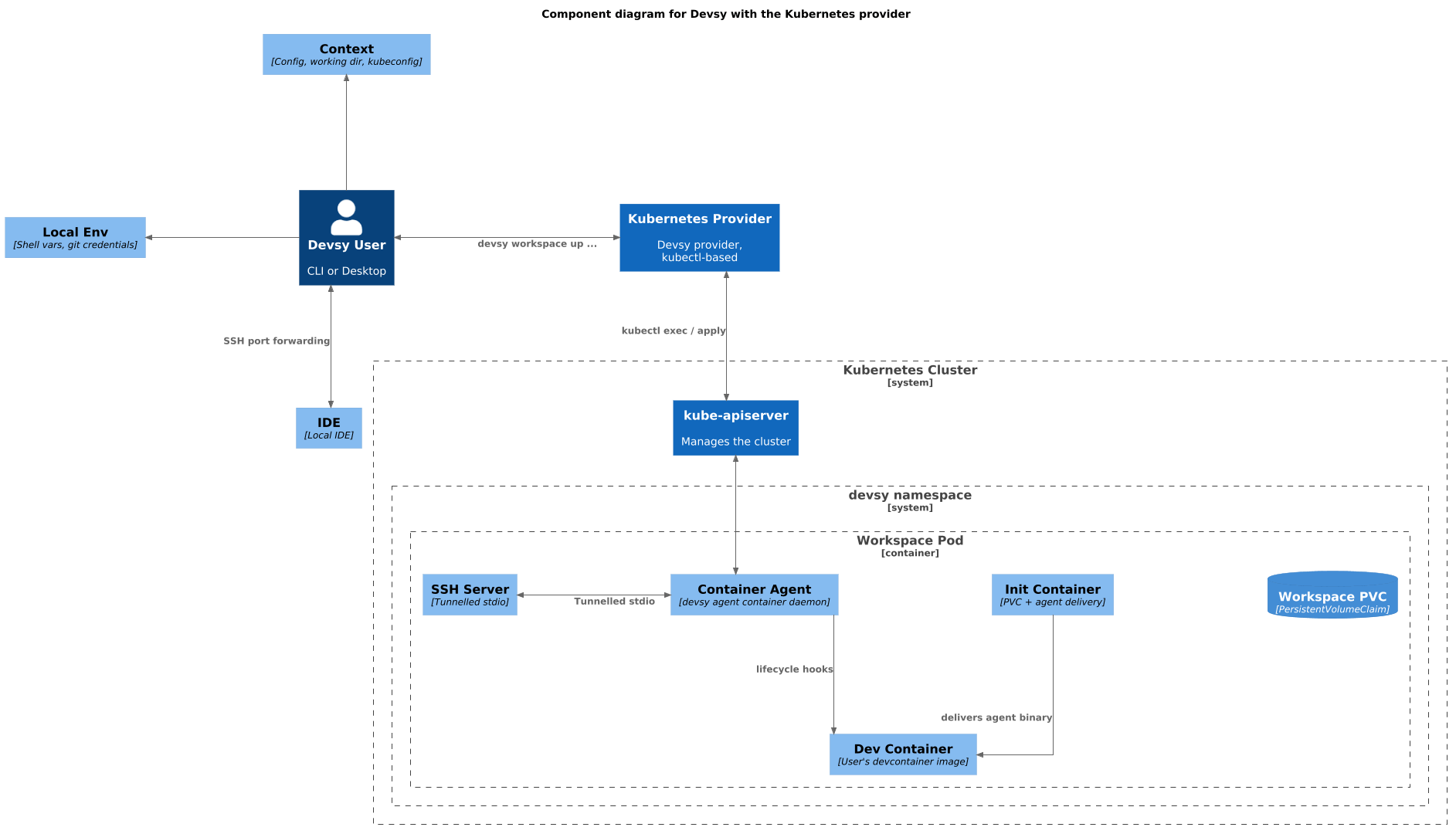
Building
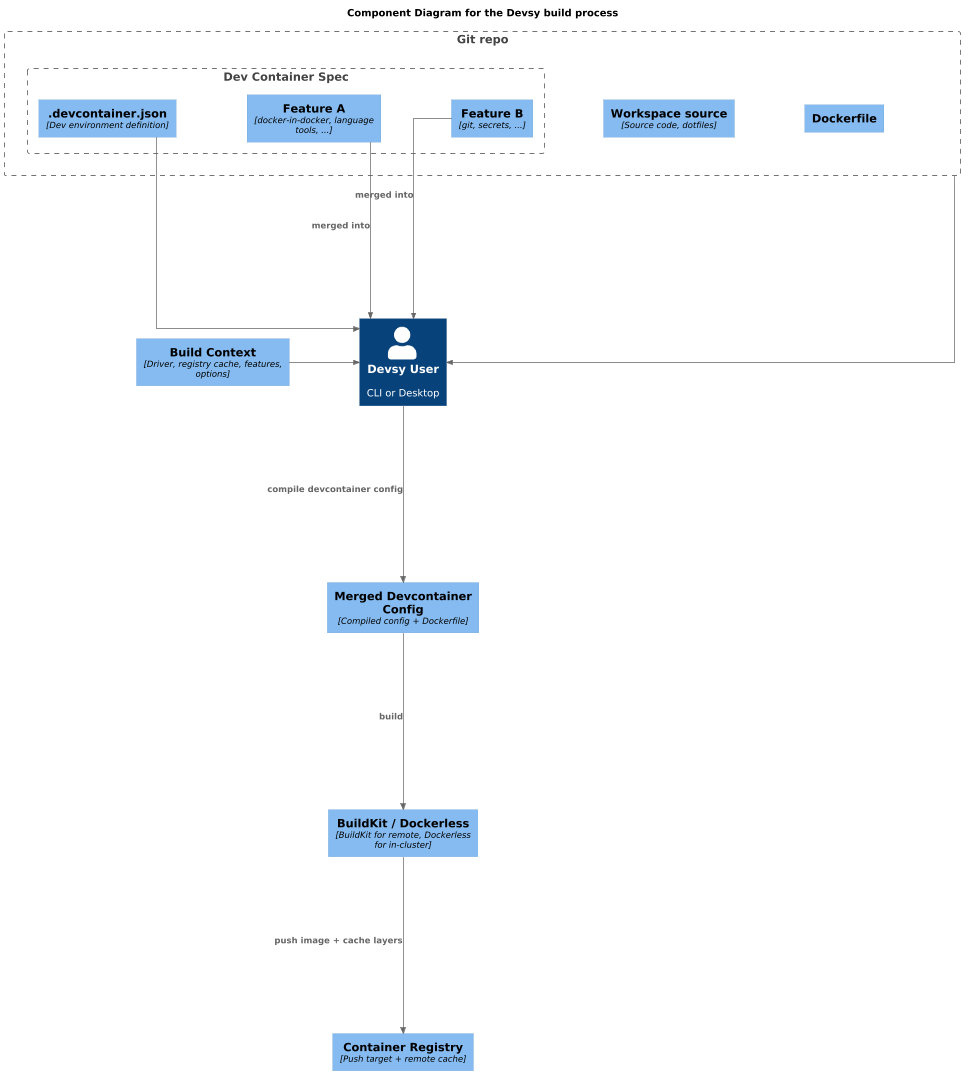
Devsy reads devcontainer.json, adds any features as build stages on the base Dockerfile, and builds an OCI image. Features mean a build is often needed even when the file only names an image.
Where there is a local container daemon, Devsy builds with docker buildx or its built-in BuildKit client. Where there is none, as with Kubernetes, it uses the dockerless builder, which builds in the workspace pod without a daemon. You can push the image to a registry to cache it. See Reduce build times with a cache.